Can the bug be found among the known bugs in the trello Trello ? If so, upvote it there instead!
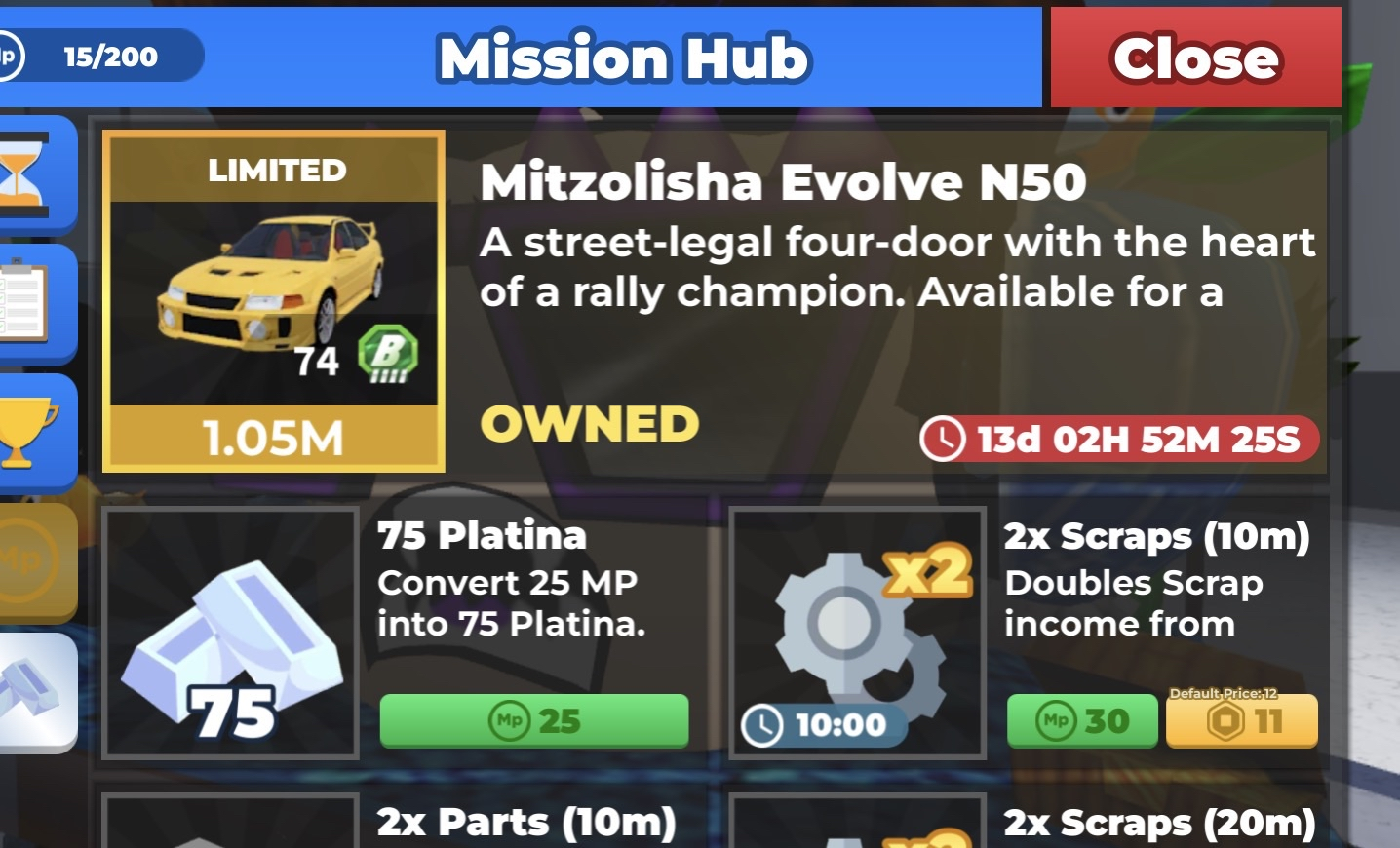
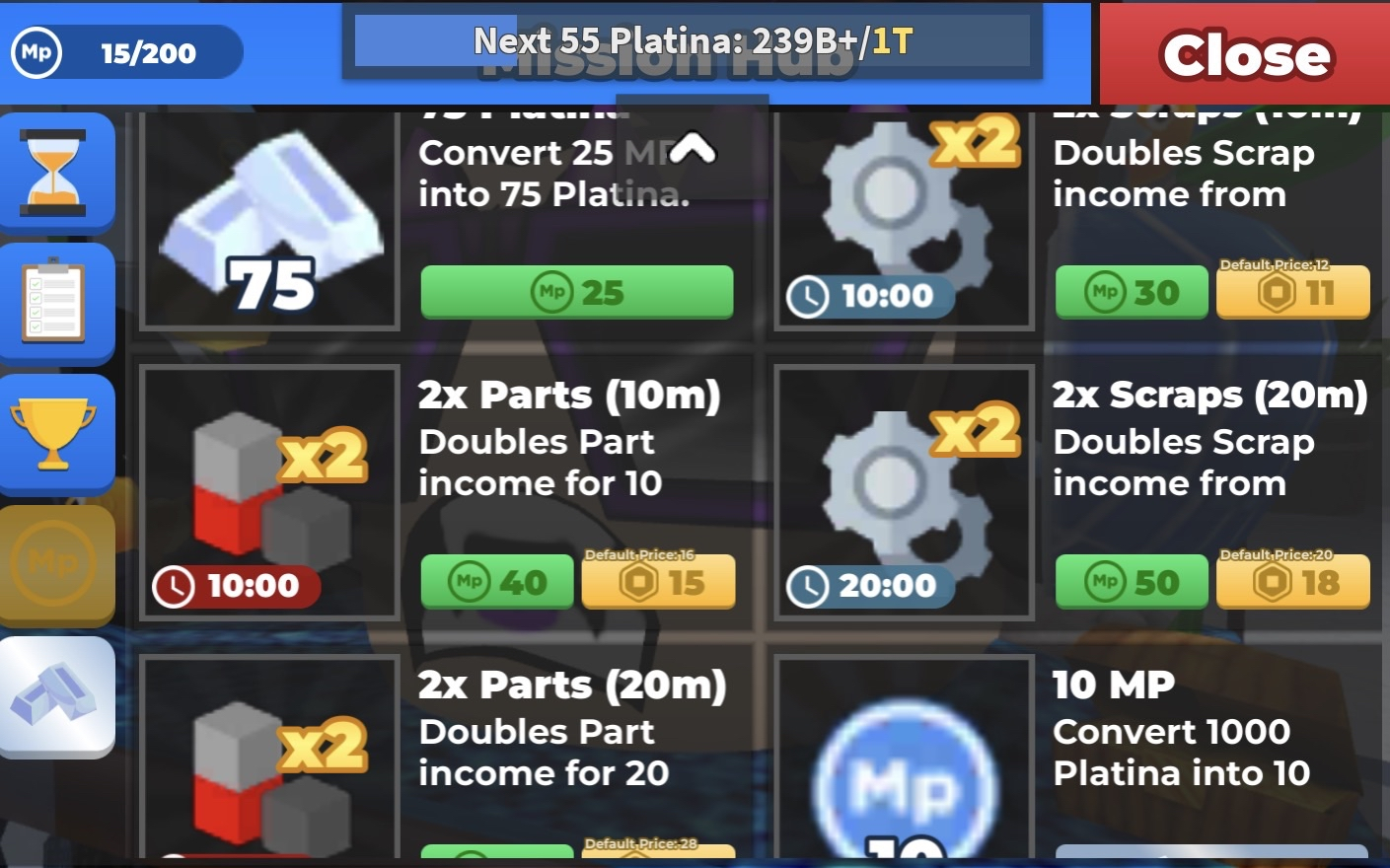
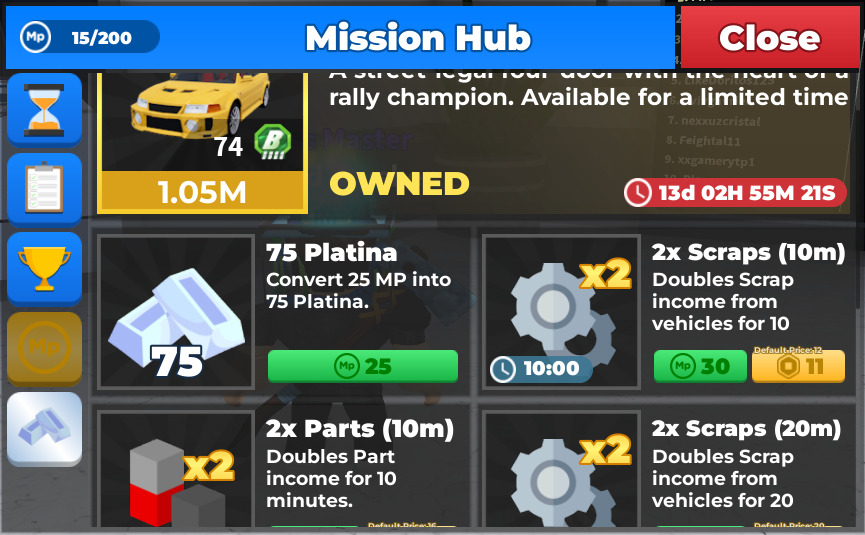
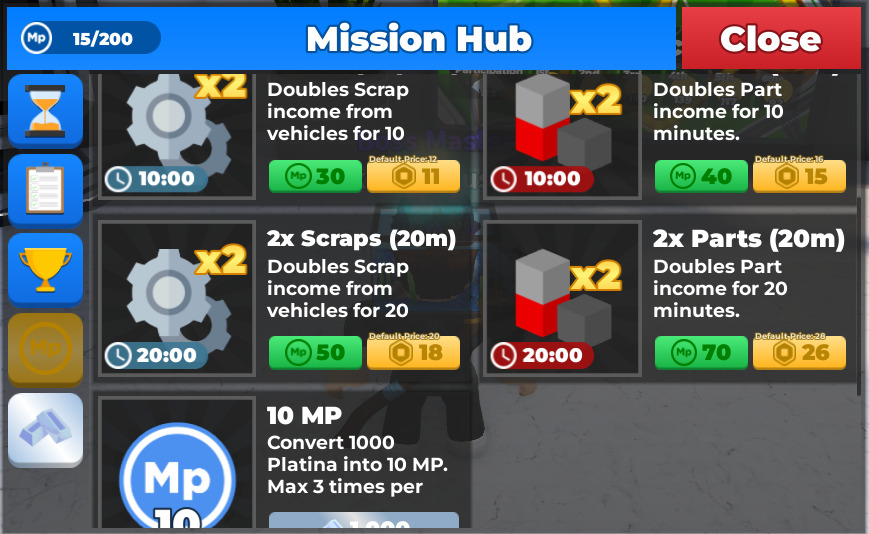
What is the bug? Answer: The text in mission hub does not finish on mobile (makes it harder to understand what the game is telling you).
How often does the bug happen?(Everytime, sometimes or rarely) Answer: Everytime
What device did you play on?(Computer, Phone, Tablet or Xbox) Answer: Mobile (iPhone 15 pro max)
What steps do you need to take for it to happen? List them in very high detail:
Just join cc2 on mobile (if you have an iPhone 15 pro max like I do) you need to open the mission hub and head over to the mission point shop. The car(s) and boosters don’t have their entire sentences like they do on pc and are instead cut off.
Is the bug related to GUI/Interface on the screen? Or did the bug only appear for you? Check yes if the bug didn’t happen for everyone in the server at the same time. Yes/No: yes it happens for users on mobile (including iPhone 15 pro max users)
If yes, screenshot all red and yellow text in the developer console and post it here.(Open console by pressing F9 on computer, or by saying /Console in the chat)
There is this feature inside the escape menu that allows you to scale the ingame text to a bigger size for easier ability to read small letters. Bigger text size means the sentences get scaled beyond their text box size. It would be good if the text remains the same so we don’t need to scale down our text size setting. I don’t have the best eyes and want to still be able to read chat messages!
This text sizing feature is not that old yet. The dev most likely didn’t even know this affected his ui (certain ingame ui do not change at all when sizing up text btw! just mission hub as of now and a bit of text around the lobby)